

The document and the spreadsheet, finally in the same file.
With Liger you write formatted text as in Word and insert spreadsheets as in Excel, linked together by formulas. Change a price in the price list and the quote, the invoice and the totals update by themselves, with no copy and paste between different programs.
It is designed for small and medium businesses, tradespeople and professionals who today keep quotes, price lists, orders and inventory in separate files. The demo is complete and lasts 30 days: at the end you enter the activation code and keep working on the same files.
Windows 10/11 · macOS 11 or later · Linux x86_64 · Android 8 or later
The main features, in one program
A single document with paragraphs, headings, tables and spreadsheets. Sheet cells can be referenced in the text and update with the data.
SUM, VLOOKUP, SUMIFS, pivot tables and conditional formatting, with the keys you know: click cells while typing a formula, F4, Ctrl+Enter, AutoSum.
Open PDFs exactly as they are, highlight, add notes, fill in forms and type on the page as in Word. Merge several PDFs, delete pages or insert a PDF in the document.
Create the FatturaPA XML to send to the Italian SDI and import received invoices in .xml, .p7m and .zip format, also by downloading them straight from certified email (PEC).
Forms with text boxes, dates, lists, buttons and a navigation bar bound to a sheet. Documents can be protected with a password.
Query your sheets with SQL and connect Liger to Oracle, SQL Server, MySQL and ODBC databases to read data from your business software.
Record a sequence of operations and replay it with one click: handy for the tasks you do every day in the same way.
Import and export Excel (XLSX) files and export to PDF to send documents to customers and suppliers. User interface in Italian and English.
Windows, Mac, Linux, Android and the browser with Liger Web: the same documents on every device.
Start from a working template instead of a blank sheet
Liger now works with PDF files too, on Windows, Mac, Linux, Android and in the browser:
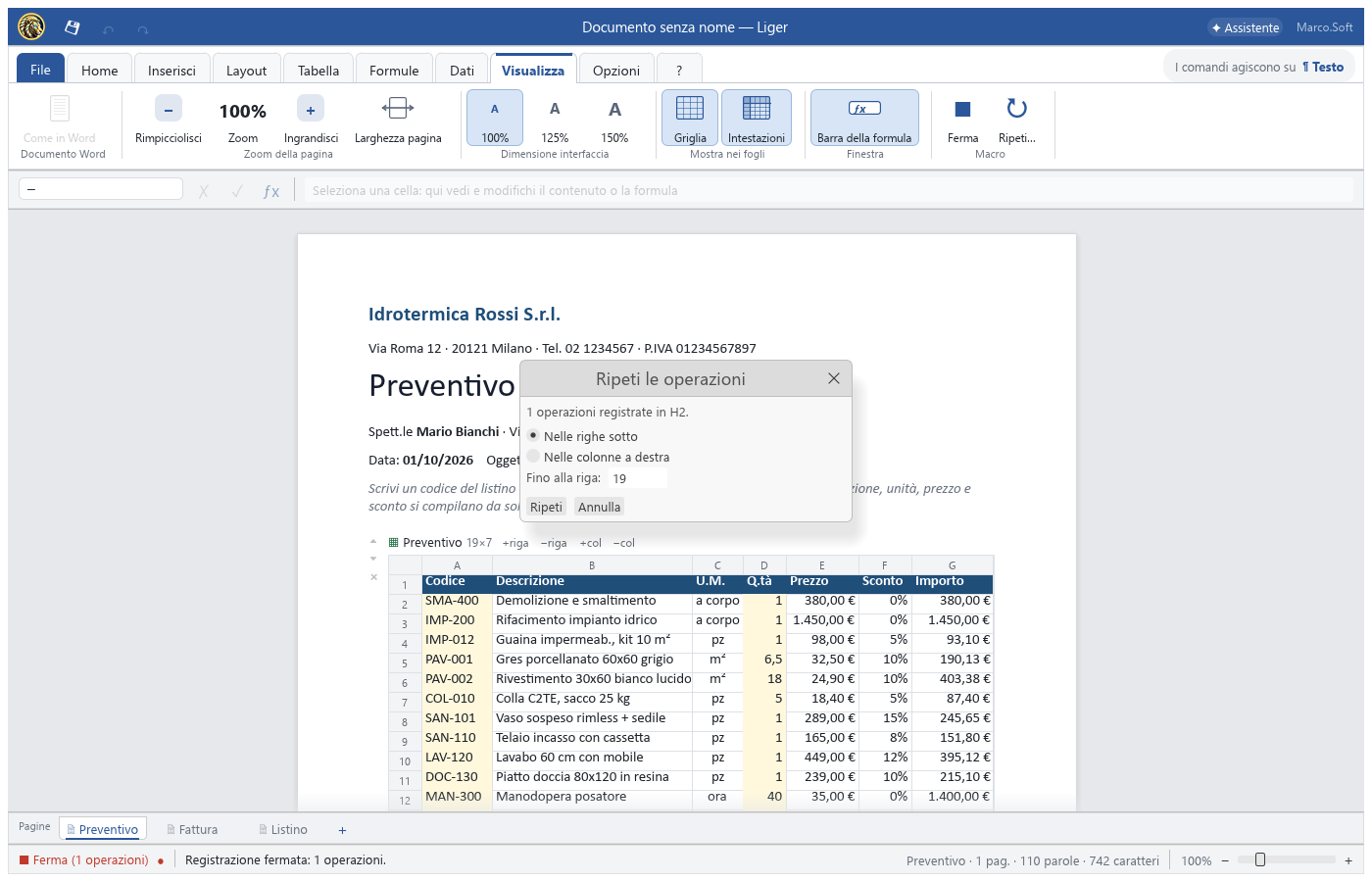
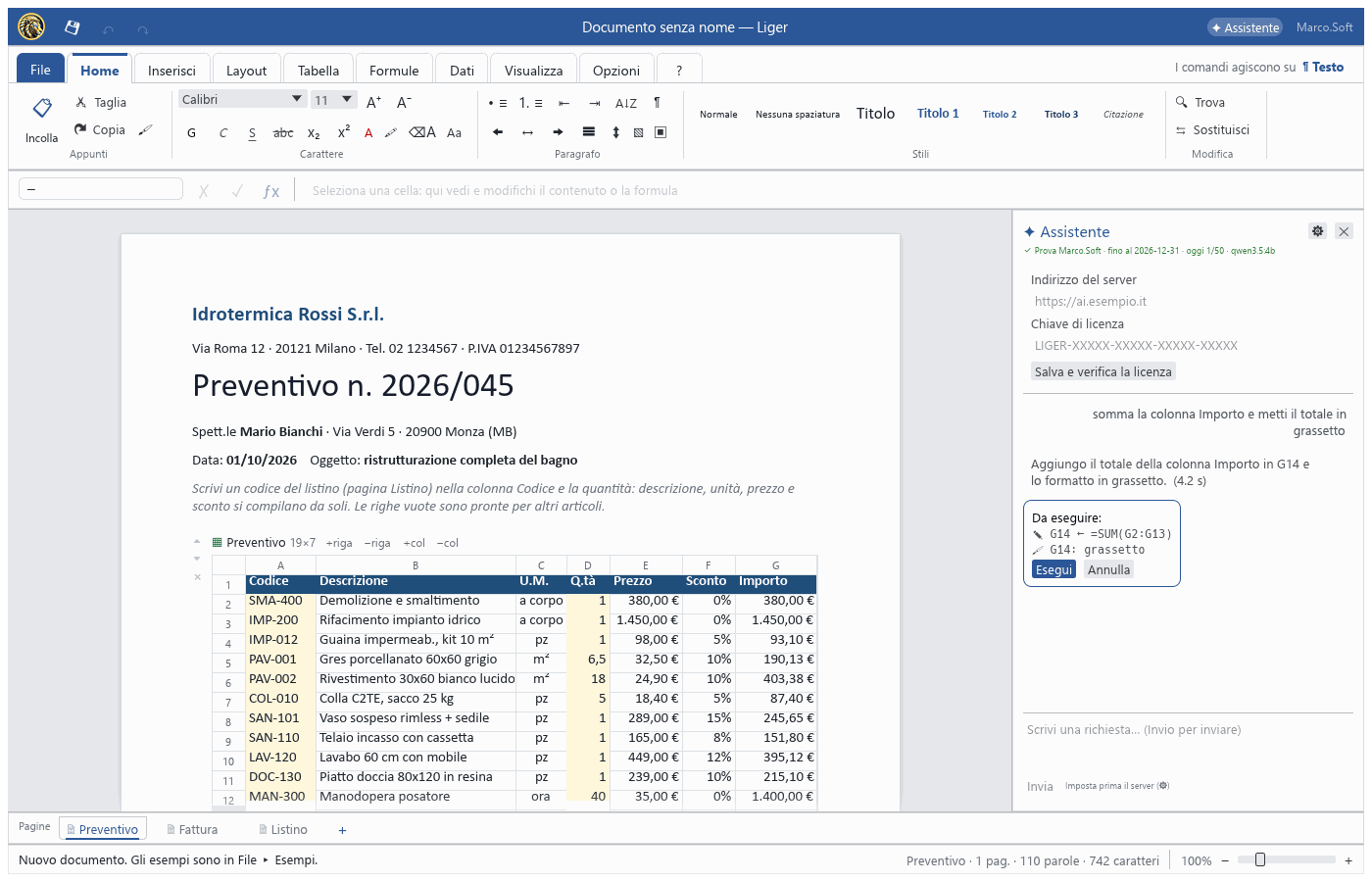
From File ▸ Examples you open complete templates, already linked with formulas, ready to adapt to your company:
30 days free, then €10 + VAT per month for all 3 programs
Download the demo
Linux: extract the archive and run installa.sh · macOS: on first launch right-click ▸ Open · Android 8 or later
In the version with the Assistant you ask in plain language «sum the Amount column and make the total bold» and Liger does it. The AI model can run locally, on your computer or your server, without sending your data outside.
For quotes, invoices, price lists, orders and small business tools, yes: text and calculations live in the same file. You can still export to XLSX and PDF for people who use other programs.
The demo is free for 30 days. After that the subscription is €10 + VAT per month and includes three programs: Liger (without AI Assistant), FileIndexer and MonitorPC.
Yes: besides the Windows installer there is a .dmg image for macOS 11 or later (Apple and Intel processors), a .tar.gz archive for Linux x86_64 and an .apk app for Android 8 or later. On the first launch on a Mac use right-click ▸ Open.
Yes: open a PDF and you can highlight, add notes, fill in forms, type on the page, rotate, move and delete pages, and merge several PDFs into one. Save writes the changes into the PDF itself.
Yes, with Liger Web, the version that runs in the browser. Some features, such as downloading invoices from PEC and external data sources, need the desktop app.
Yes. Documents are files on your disk; the Internet is only needed to check the licence and, if you use it, to download invoices from PEC.
See also: Liger Web FileIndexer MonitorPC Software development